Chapter 01 · Swarnabook

Every gram accounted for.

From karigar to customer, Swarnabook runs your whole jewellery business in one integrated, customisable ERP, shaped around how you work.

Native apps on
Windows macOS Android iPhone iPad
Item LookupTag scanned
NK-24117
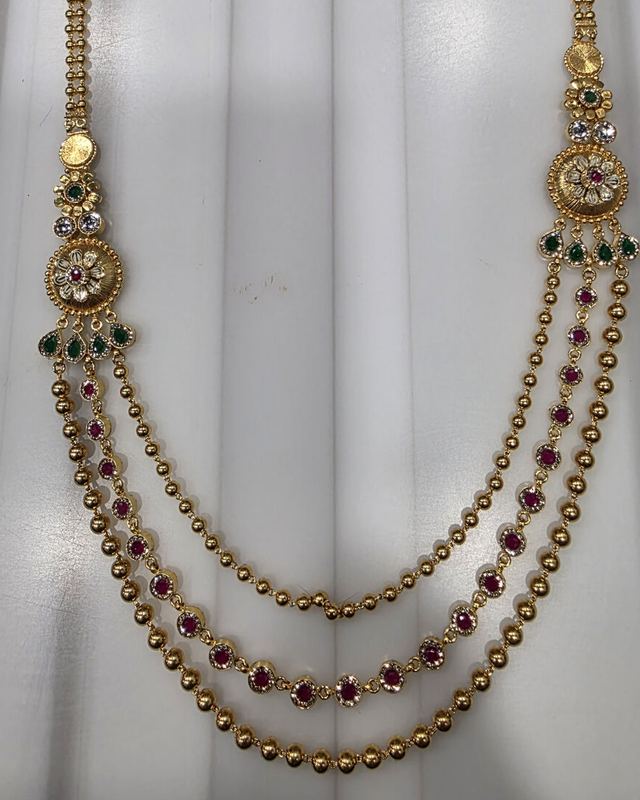
Kundan necklace · for ORD-2610-0412
Purity22K · 916
Gross weight48.260 g
StatusSold
History · 6 eventsoldest first
  1. Issued to K07 Ramesh Soni01 Oct · 11:05 · Deepak M.
  2. Jama & tagged · 41.905 g04 Oct · 16:40 · Priya S.
  3. Kundan process · K 48 · T 1205–06 Oct · K14 Mohan Lal
  4. Approved into stock06 Oct · 18:05
  5. Reserved for ORD-2610-041206 Oct · 18:05 · automatic
  6. Sold live07 Oct · 10:32 · sale voucher · Imran K.
Quick estimatePDF
Priced at today's metal rate, with photo
HomeLookupInboxMe
Swarnabook Staff · Item Lookup · illustrative screen, demo data
Chapter 02 · Ecosystem

One ecosystem, every role, live.

Watch one order move. Whatever happens in one app shows up in every other app within seconds, because every app works on the same live record in your business's own cloud.

Your business'sown cloudISOLATED · ONE LIVE RECORD Swarnabook OfficeWindows · macOSWorks offline Swarnabook StaffWindows · Android · iPhone · iPadWorks offline Owners Live PortaliPhone · AndroidOwner's live view Your branded Buyer appiOS · AndroidEach buyer's terms Tagmaker & bench hardwareTag printers · scanners AI StudioInside Office · catalogue images A step taken in one app updates every other app within seconds 1Buyer orders in your appThe office board and the Owners Live Portal show it at once 2Office issues the line to karigar K07The slip prints, the khata posts, the floor team sees the job 3Jama desk weighs and tags the pieceThe tag prints, stock updates, any weight variance is flagged 4Owner approves the finished piece from the phoneThe piece is reserved for that buyer, on every screen 5Buyer's app shows the order readyA push notification goes to the buyer

Tap any app in the diagram to jump to it.

Seen everywhere in seconds

A change on one screen appears on every other screen within seconds.

Keeps going when the internet drops

The office and exhibition staff keep working offline. Everything catches up when the connection returns.

Need-to-know, by role

Each person sees only what their job needs, on whichever device they use.

Chapter 03 · Reports

What every module reports to you.

Every report is built from records tied to a person and a time. Most export to Excel or PDF in one tap.

Karigar & supplier

  • Karigar khata statementFine gold and cash owed, entry by entry.
  • Daily jama registerWhat each karigar handed in today, per process.
  • Issue slipsWhat went out, to whom, by weight.

Manufacturing

  • MFG SummaryGold at the office and out with karigars, by purity.
  • Order line progressEvery order line: to make, in manufacturing, ready.
  • Scrap registerWhat was scrapped and the gold recovered.

Stock & tags

  • Stock by locationPieces and grams at every showroom and exhibition.
  • Stock count reportCounted, missing and unexpected, by person.
  • Piece historyOne scan shows every step from issue to sale.

Sales & exhibitions

  • Sales reportSales by period and by customer.
  • Exhibition demand masterWhich pieces buyers picked, and how often.
  • Unselected stockWhat went to the show and nobody picked.

Team & custody

  • Holdings by personWho holds which lot or piece right now.
  • Handover historyEvery handover, requested and accepted.
  • Approvals queueWhat is waiting for a decision.

Owners Live Portal

  • Attention feedOverdue work, weight variances, count gaps, idle stock.
  • Karigar scorecardsSpeed and loss, karigar by karigar.
  • Process timesWhere production slows down.
Original product photo of an Auric design AI Studio on-model image of the same design
Your photoAI Studio
AI Studio · before and after · Auric's own design
Chapter 04 · AI Studio

Studio-grade jewellery imagery, without the studio.

AI Studio turns the product photos you already have into on-model and lifestyle images, in batches.

  • On-model and lifestyle shots in batches, posed for where each piece is worn: neck, ear, nose, wrist, waist and more.
  • One design in 16 metals and karats, across 12 scene settings, from studio softbox to golden hour.
  • Chosen images flow straight to your catalogue and your buyer app.
One design, every metal
22K yellow18K rose18K whiteSterling silverPlatinum+11 more

AI image generation is chargeable per image. Rates are shared in your proposal.

Chapter 05 · Owners Live Portal
NewRealtimeiPhone · Android

Your whole business on your phone, live.

Owners Live Portal is the owner's app. It gives you a complete, realtime view of the house, with discrepancy monitoring that tells you when something doesn't add up.

Home
Tue 7 Oct · updated just now
Live
In manufacturingby weight
At office1,842.615 g
With karigars & suppliers2,803.124 g
Attention6
  • LOT-2610-031 variance −1.440 gdeclared vs tagged · over your 0.5% limit
  • ER-30988 missing in 2 countsstock-count gap · showroom floor
  • K12 Sunil Verma: 4 pieces overduepast the 12-day limit
  • 11 pieces idle at office > 45 days
Approvals4 waiting
Staff14 · 5 holding
Open orders37 lines
16 lines with karigars & suppliers
HomeOrdersReports
Owners Live Portal · Home · illustrative screen, demo data
  • Live, as it happens

    Every issue, jama, handover and approval shows on your phone as it happens. No end-of-day report to wait for.

  • Thresholds you set

    Overdue work at karigars, idle stock, lot weight variance (declared vs tagged) and stock-count gaps. You decide what counts as a problem.

  • Checks that run themselves

    Weights are balanced at jama, and the office checks stock against the ledger after every manufacturing sync.

  • Approvals from anywhere

    Conversions and returns wait for your tap, and the requester hears back on their phone.

  • Weights and counts, behind Face ID

    The app is built around weights and counts. Sales totals and karigar cash stay off the screen, and it opens with Face ID.

Thresholds
Attention rules · set by you
Owner only
Manufacturing
Karigar possession12 d
Default limit when a karigar has none of their own
Lot variance0.5 %
Declared vs tagged, as a share of the declared weight
Stock
Idle at office45 d
A piece untouched for longer is flagged
Count misses to flag2
Counts with missing pieces before a staff flag
Repeat-miss look-back60 d
The same piece missing again within this window is flagged high
DiscardSave
HomeOrdersReports
Owners Live Portal · Thresholds · illustrative screen, demo data
Chapter 06 · Production

Made for how jewellery is actually made.

Work goes out to karigars and suppliers and comes back as finished pieces. Swarnabook follows every step, so you know where the gold is and late work shows up before the customer chases.

  1. Order lineFrom the counter, an exhibition or the buyer app
  2. IssueWork, gold, stones and cash in one step
  3. Karigar / SupplierOne ordering flow for both
  4. Jama & tagEvery piece weighed and tagged
  5. ProcessOut again for setting or polish, counted
  6. ConvertThe bench photo becomes the catalogue image
  7. ApproveA second person accepts it
  8. ReadyReserved for the buyer who ordered it
  • Send work, gold, stones and cash to karigars in one step.
  • Clear the whole production backlog in one tap.
  • Receive, weigh and tag every piece.
  • Each karigar's gold and cash balance stays current by itself.
  • Late work is flagged before the customer chases.

Suppliers work the same way

A supplier order is a manufacturing order line issued to a supplier. It is tracked through to receipt and settles in the same gold and cash balance as your karigars.

Swarnabook Office · Karigar detail
K07 Ramesh Soni
Karigar · necklaces and sets
1 lot overdue
Fine gold out182.220 g
Cash balance₹24,428labour payable
Items held12 pcs · 2 lots
DateEntryFineCash
07 OctIssue · 22K bullion · ORD-2610-043840.000 out–
06 OctJama · 6 pcs weighed and tagged38.214 in₹4,800
05 OctIssue · stones and findings––
03 OctCash advance–₹10,000 out
Posts itself from every issue and jamaStatement PDF
Swarnabook Office · Karigar detail · illustrative screen, demo data
Chapter 07 · Team control

Your team, your rules.

Everyone does their job, nobody does more, and you approve what matters from your phone.

Swarnabook Office · Staff Hub
Staff Hub
Roles and permissions · checked in the cloud
Saved · synced
StaffRoles · scopeSale voucherVenue transferCustomer orderStock reconIssue order linesView allApprove returns
Imran K.Exhibition Staff · Hall 3
Kavita R.Process Operator · Kundan, Setting
Deepak M.Direct Issuer · Lot Receiver
Neha J.Exhibition Staff · Photographer · Halls 3, 4
9 roles · more than fifteen permissionsLock out of every device
Swarnabook Office · Staff Hub permission matrix · illustrative screen, demo data
  • Nine roles that match the floor, from Lot Receiver and Tagger to Exhibition Staff and Owner/Manager. Each person sees only their own tiles.
  • More than fifteen individual permissions, ticked one by one and checked in the cloud as well as on screen.
  • Scoped access. Exhibition staff see only their assigned venues. Process operators see only their allowed processes.
  • Four eyes on what matters. Converted pieces stay off sale until approved, and staff can't approve their own requests.
  • Staff record, the office posts. Gold, cash or materials handed out on the floor reach the karigar ledger only when the office posts them.
  • One tap locks a leaver out of every device, instantly.
Owners Live Portal · nowPriya S. sent BG-24131 for approval
Approvals
4 waiting · oldest 2 h
4
Convert to stock18:02
BG-24131
Bangle pair · 22K · 18.906 g
Requested by Priya S. · hidden from sale until approved
RejectApprove
Return to karigar16:40
ER-24090 · 6.215 gto K07
Requested by Deepak M.
Supplier returnYesterday
3 pcs · 38.410 gto S03
S03 Shree Chains (supplier)
+1 more · staff can't approve their own requests
HomeOrdersReports
Owners Live Portal · Approvals · illustrative screen, demo data
Chapter 08 · Built for you

Built for your house. Fast, modern, on every platform.

Swarnabook is a platform, with your own version of it. Configuration comes first. Where your process is genuinely different, we build it, and it reaches you over the air.

  1. ConsultA discovery conversation, on-site or by video.
  2. MapWe walk your floor and map how work moves.
  3. ConfigureYour own cloud, masters, terms, roles and formats.
  4. BuildHouse-specific pieces, switched on only for you.
  5. Deliver over the airUpdates arrive when staff reopen the app.

Changes often reach you the same day. Larger changes, such as new device features, go out in planned releases.

Modern, fast architecture, in plain words

It keeps working offline

The office and exhibition teams carry on when the internet drops. Work syncs when it returns.

Your own isolated cloud

Your business runs on its own isolated database and storage, separate from every other client.

Live sync in seconds

A piece tagged at the bench shows up on the office screen and your phone within seconds.

Updates without reinstalling

Improvements arrive over the air on every platform. Staff simply reopen the app.

Native apps on every device

Windows, macOS, Android, iPhone and iPad. It runs on the devices you already own.

Permissions enforced in the cloud

Roles and permissions are checked on the server as well as on screen. Unknown roles are rejected.

Powerful dashboards

The MFG Summary on Office, a live overview on the Owners Live Portal, and a role-based home for every staff member.

Next step

Show us how your house works. We'll show you Swarnabook running it.

Chapter 09 · Clients

Jewellers who work with Swarnabook.

WhatsApp us