From product photo to campaign image in minutes.
AI Studio lives inside Swarnabook Office. It turns the product photos you already have into on-model and lifestyle images, in batches, in any of sixteen metals and twelve settings.
Studio-grade jewellery imagery, without the studio.
Drag each slider. On the left, a plain product photo. On the right, the same piece on a model, generated by AI Studio from that photo.
- Your existing product photos are the input. No reshoot, no model booking.
- On-model and lifestyle shots, generated in batches while you work.
- Every request asks the model to keep each stone, link and finish as photographed.
- Each image sits beside its original, so you choose which ones to use.
AI image generation is chargeable per image. Rates are shared in your proposal.
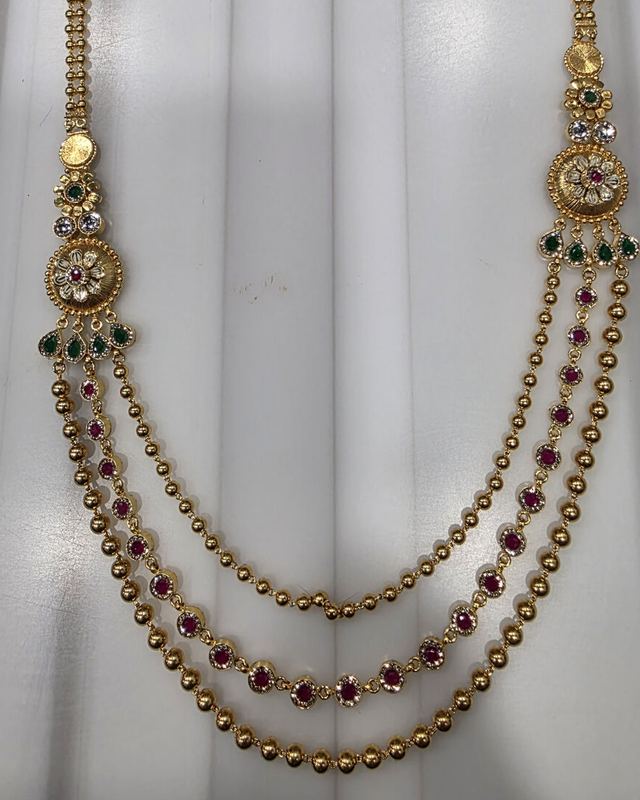
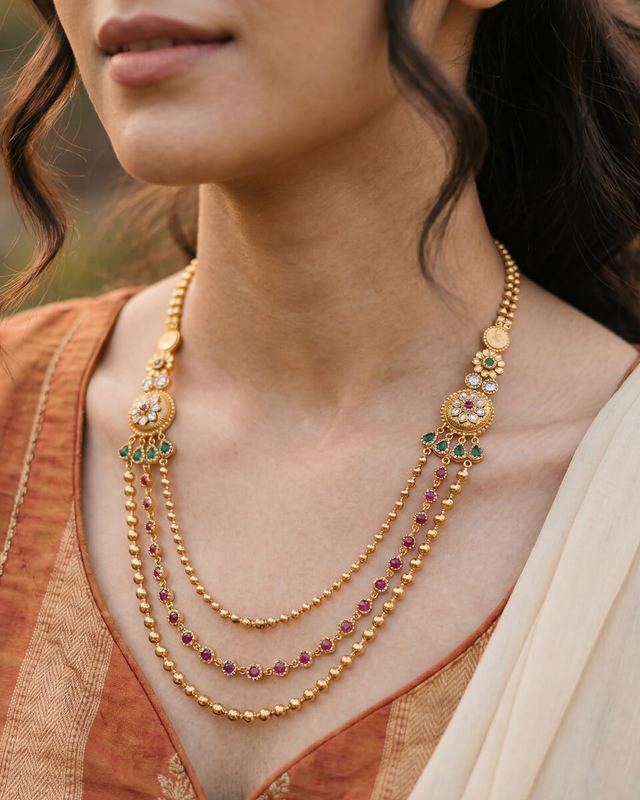 Your photoAI Studio
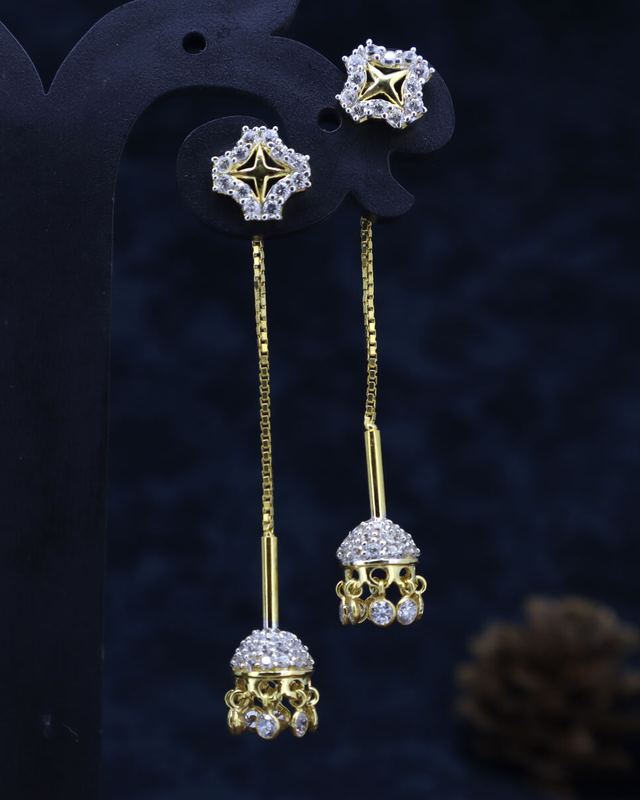
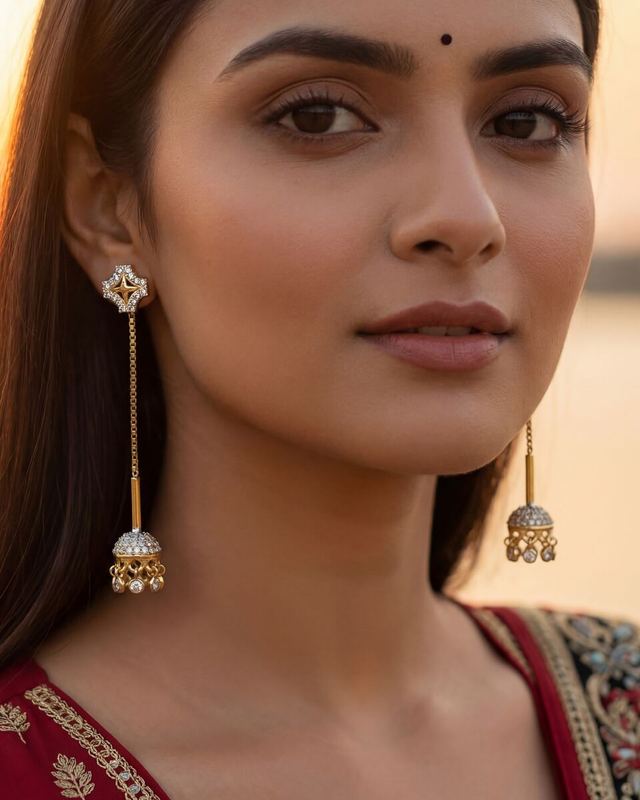 Your photoAI Studio
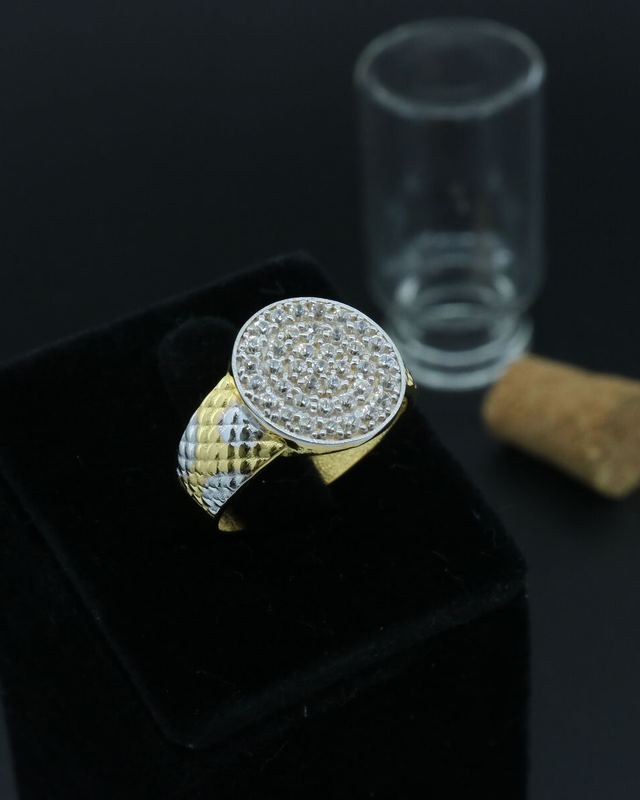
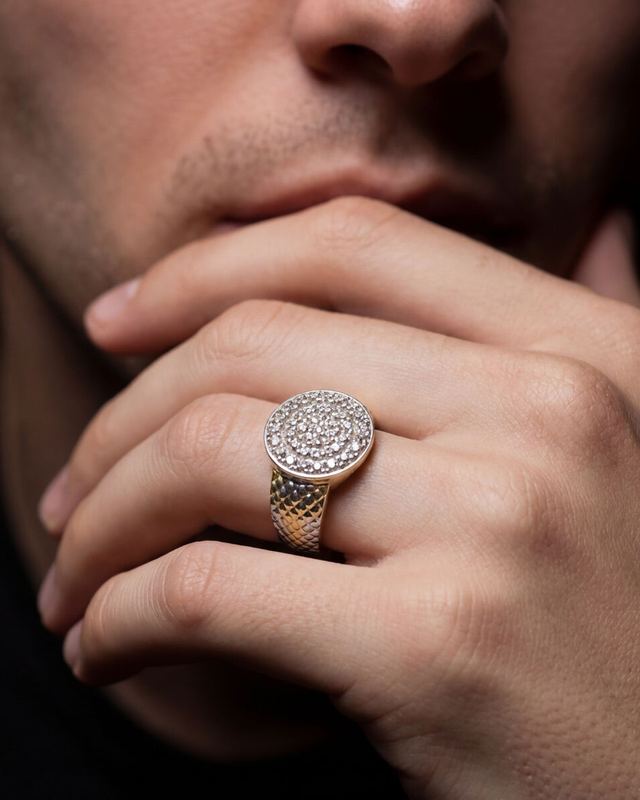 Your photoAI Studio
A pose for every place a piece is worn.
Every model in the library is posed for a placement. Filter by where the piece is worn, from forehead to ankle, and pick the pose that suits it.
- Your piece is the hero. Models are generated without jewellery, so nothing else competes in the frame.
- Clothing that suits the piece. Choose the outfit and neckline, sarees included, so a choker sits on the right blouse.
- Your own face of the brand. Add your ambassador's photos and use them as the model.
A maang tikka needs a forehead pose and a payal needs an ankle. Filtering by placement keeps the model library to the poses that suit the piece in hand.
Photograph it once. Show it in sixteen metals.
From 9K–24K yellow, rose, white and red gold to sterling and oxidised silver, platinum and palladium. Show a buyer the same design in the metal they want before a karigar touches it.
Or leave the metal exactly as photographed.
Twelve settings, three shapes, up to 4K.
Pick a setting for the mood, a shape for the channel and a resolution for the job. A brief in your own words covers the rest.
12 scene presets
Studio Softbox for a clean catalogue. Elegant Night Gala for a bridal campaign. Or keep the light from your reference image.
Three shapes for three channels
1K, 2K or 4K
1K for a quick look and WhatsApp. 4K when the image goes to print.
From accurate to creative
Stay close to the photograph for catalogue work. Loosen it for a campaign.
Your brief, your mood board
Bridal look, deep maroon silk saree, soft smile, hair in a low bun, warm evening light.
Write it in plain words. Add a mood image if you have one.
Five steps from catalogue to campaign.
- Select designsPick pieces from your Office catalogue, then choose the pose, metal, setting and shape.
- Generate in the backgroundImages generate 10 at a time while you keep working.
- CompareSee each original photograph beside its generated image.
- ApproveKeep the images you like. Reject the rest.
- Use everywhereApproved images flow to your catalogue, your buyer app and your branded exports.
Review each image beside its original.
Every generated image waits in review beside the photograph it came from. Tick the ones that are right. Only those move on to your catalogue, buyer app and exports.
Accuracy rules on every request
- Keep every stone, link, texture and finish as photographed.
- Match the light on the piece to the scene, so it looks worn.
Good photos from the floor, in your brand.
Your staff photograph pieces on the Swarnabook Staff app and share them in your brand: your watermark, the weight and a QR code on every image. Send them on WhatsApp, or make a PDF lookbook for a buyer.
- Image templates are designed once in the office and published to every device.
- Your watermark, the weight and a QR code on each image.
- WhatsApp sharing from the phone, or a PDF lookbook in a few taps.
AI Studio runs in Swarnabook Office. The staff app takes care of photography and branded sharing.
Straight answers about AI.
AI Studio is a powerful tool for marketing images. Here is exactly what it does, who processes your photos, and where you stay in charge.
AI image generation is chargeable per image. Rates are shared in your proposal.
How is AI Studio charged?
Image generation is chargeable per image. Rates are shared in your proposal. An image that fails to generate is not charged.
Who processes my photos?
AI Studio sends the product photo and your brief to a third-party AI provider, which generates the image. Our privacy summary says so plainly, and the full privacy policy will too.
Is a generated image a true photograph of my piece?
No. AI images are illustrative. Every request asks the model to keep each stone, link, texture and finish as photographed, and you compare the result with the original before using it. Use AI images for marketing and keep your product photos as the record.
Can I use my own model or brand ambassador?
Yes. Add your ambassador's photos to the model library and choose them like any other model.
Where do the images go?
Into the design's record in Swarnabook Office. From there they flow to your buyer app and your branded exports.
Whose designs are in this gallery?
Auric's own. This page shows what AI Studio can do with designs we own, and makes no claim about any client's use of it.